Spending is scattered across cash, credit, debit and Revolut — nothing shows it all in one place.
SolvedOne unified ledger across every payment method.
Snap a receipt and on-device AI fills in the details. Log by voice or a tap with Siri & Shortcuts — even right after you pay — and get a heads-up before subscriptions renew.
Free to start · Fully offline · Private by design
Your money is scattered across cards, cash and apps — and the totals you get can't be trusted. SnapSpend fixes both.
A complete, trustworthy spending tracker that runs entirely on your device.
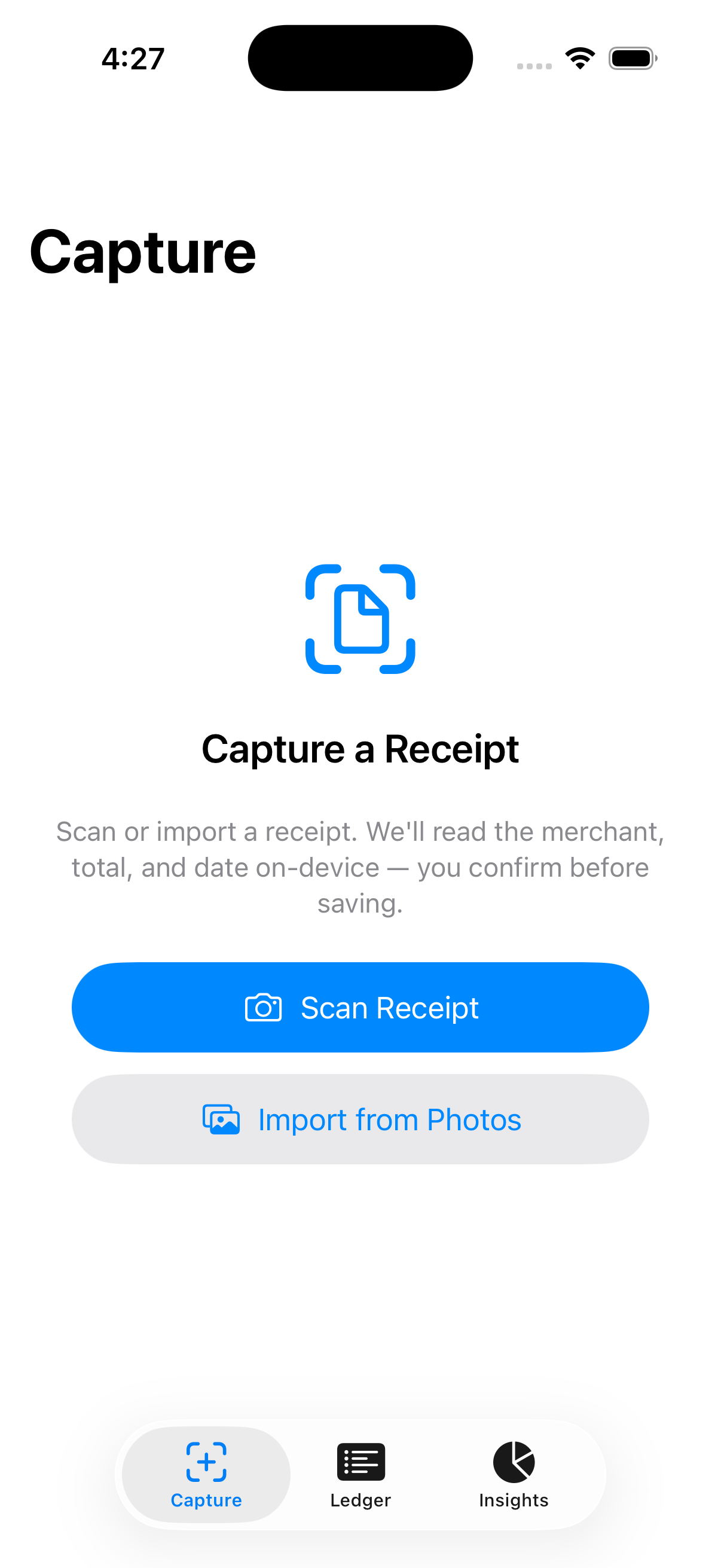
Point your camera at a receipt; on-device AI reads the merchant, total, date and items. You confirm before it's saved.
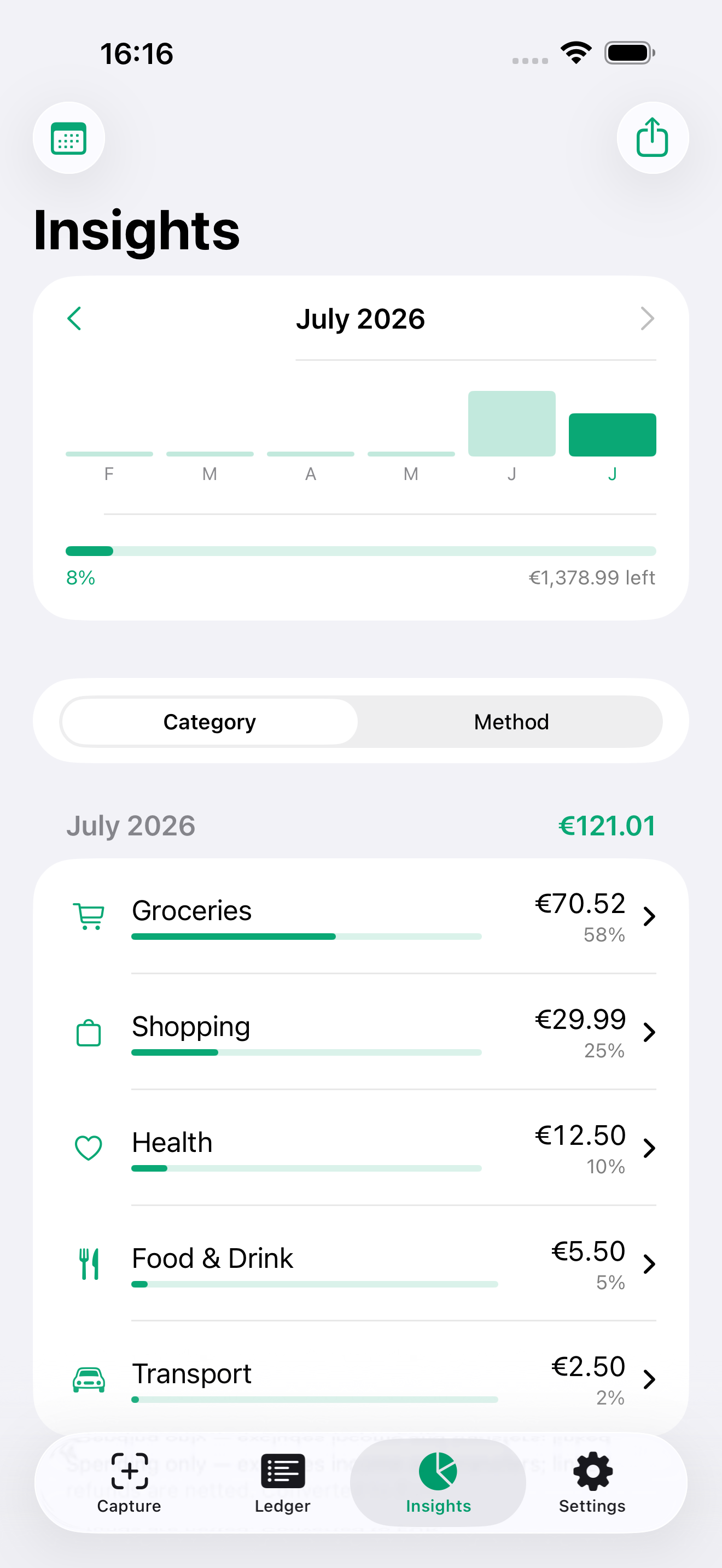
Spending by category, method and currency, a 6-month trend, and an optional monthly budget with gentle alerts.
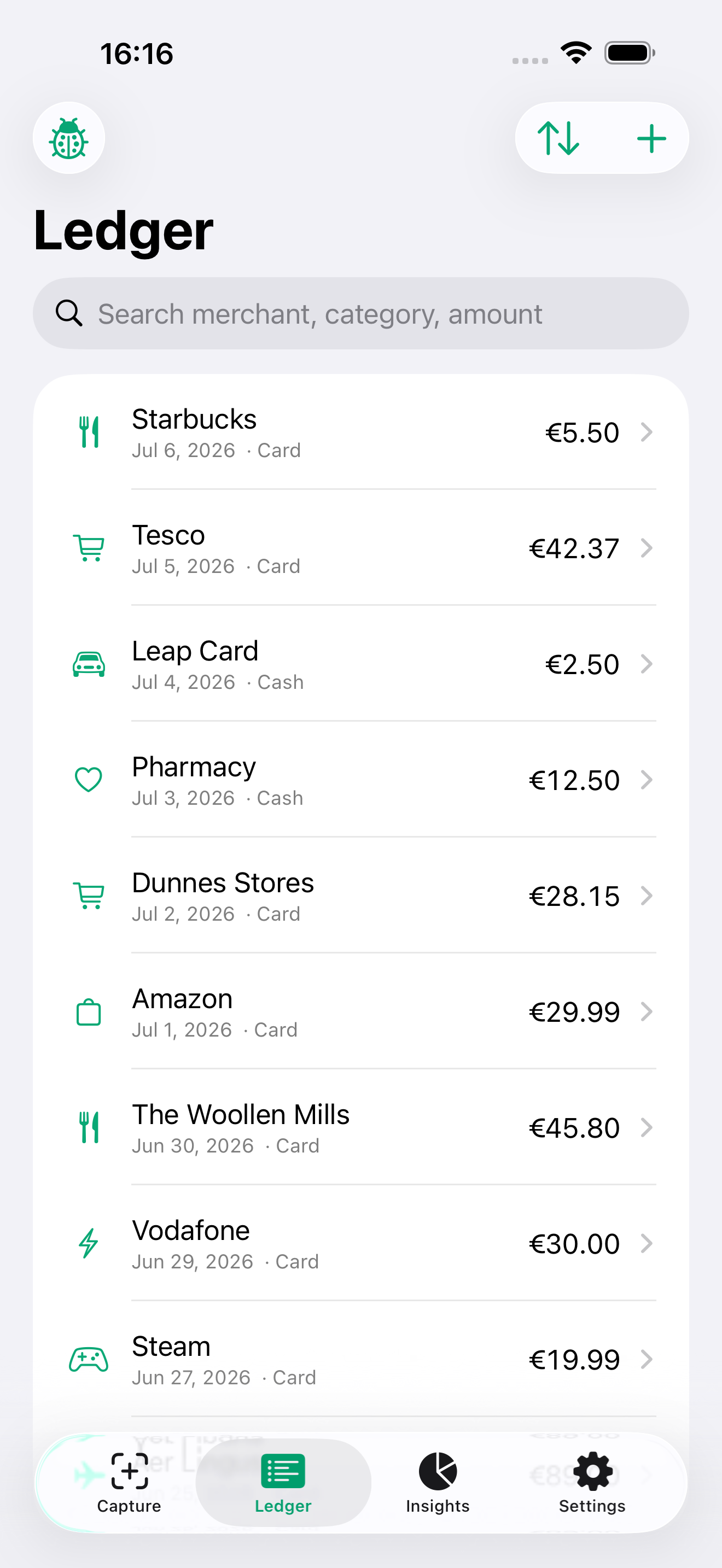
Cash, cards and imports in one searchable list. Filter by merchant, category, account, tag or amount.
Drop in a Revolut, BOI or AIB export — it detects the format and turns every line into a clean transaction.
Spend in CNY, USD, EUR and more. Everything rolls up to one base currency, with FX fees on their own line.
Every transaction is categorized from its merchant and receipt text. Categories are editable, tags are free-form.
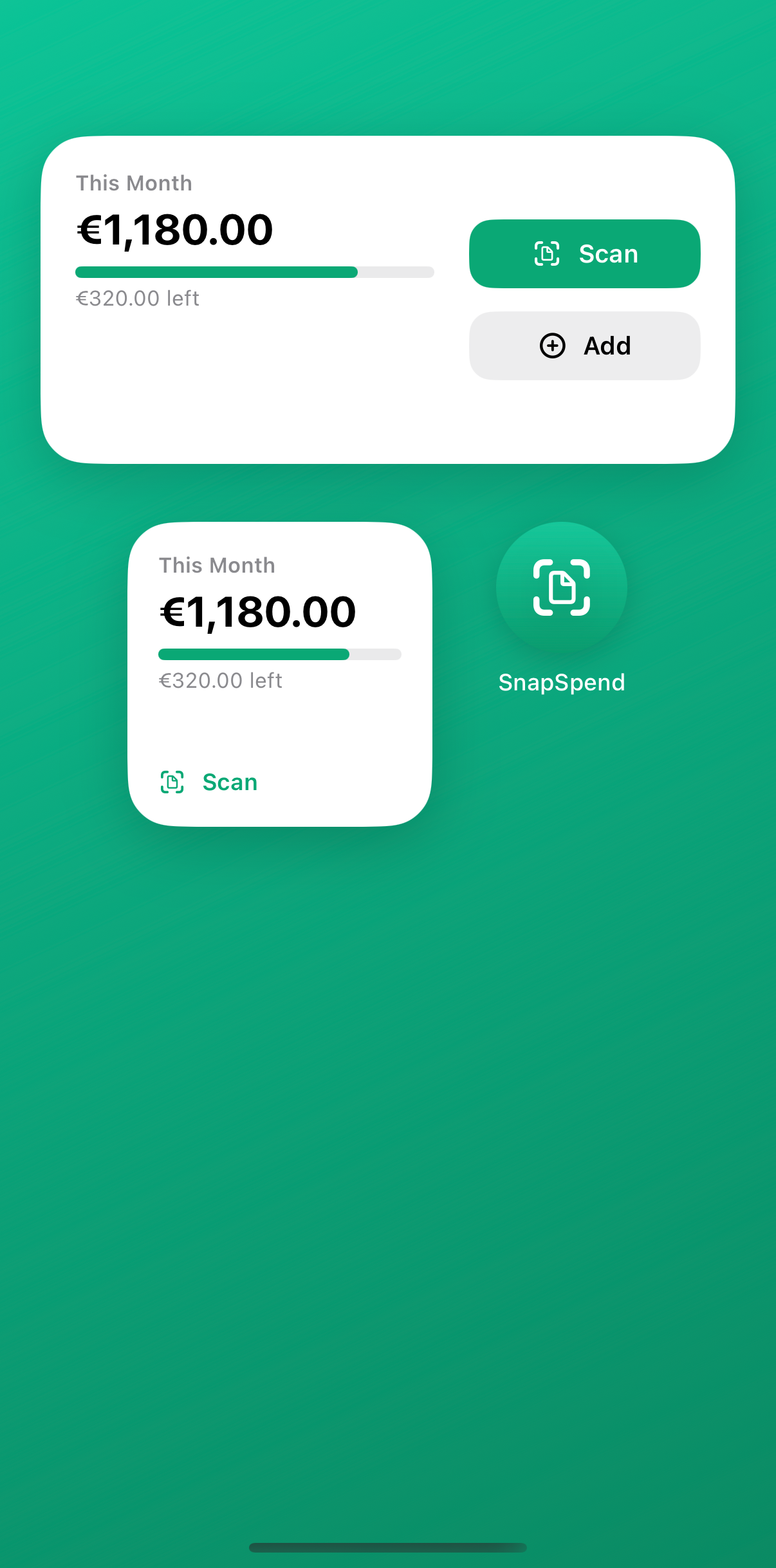
See this month's spending and budget at a glance — then scan a receipt or add an expense in one tap, straight from your Home Screen.
Log spending by voice, a Home-Screen button, or an automation — even right after you tap to pay. Ask Siri how much you've spent.
The same purchase from a receipt and a statement is caught — fuzzy matches included — so nothing counts twice.
Transfers between your own accounts — and card payoffs — are linked and kept out of spending.
Link a refund or return to its original purchase — even partial ones — and totals stay honest.
Recurring charges are detected automatically, with alerts for price hikes and a yearly-cost estimate.
Share a bill and count only your part — the rest is tracked as owed back, so your totals stay honest.
Every receipt photo is stored with its transaction — zoom in and share it as proof for a return or warranty claim.
Passphrase-encrypted, Face ID-protected backups, plus CSV/PDF export for your accountant. No lock-in.
Every change is logged and badged Auto or You — so you always know why a number is what it is.
Scan a receipt, import a bank statement, or add a quick manual entry.
On-device AI fills in the details and suggests a category. Tweak anything, then save.
See totals you can trust, trends and budgets — all in one base currency.
SnapSpend is local-first. There's no account and no server of ours holding your data — receipt reading happens on your iPhone, and the only network call we make is an anonymous exchange-rate lookup.
Everything that protects or exports your data is free — forever.
| Feature | Free | Pro |
|---|---|---|
| Unlimited manual entry | ||
| Receipt scan + AI OCR | ||
| Statement import (PDF / CSV) | ||
| Unified ledger + search | ||
| Auto-categorize & tags | ||
| Multi-currency + FX | ||
| Correctness engine (dedup / transfers / refunds) | ||
| Insights, trends & budgets | ||
| Encrypted backup & restore | ||
| CSV / PDF export | ||
| iCloud multi-device sync | ||
| Subscription & bill-drift alerts | ||
| Split & shared bills | ||
| Advanced custom reports | Soon |
One purchase unlocks Pro — subscribe or buy once, same features either way. Prices vary by region.
| App | Yearly | Lifetime |
|---|---|---|
| SnapSpend | €9.99 | €24.99 |
| YNAB | ≈€105 | — |
| Monarch Money | ≈€100 | — |
| Copilot Money | ≈€90 | — |
| PocketGuard | ≈€75 | ≈€99 |
| Spendee | ≈€23–45 | — |
Competitor prices are approximate yearly plans in EUR; they vary by region and can change. Most alternatives offer no lifetime option at all.
Yes. SnapSpend is local-first: no account, no server. Your transactions and receipt photos stay on your iPhone, and backups are encrypted with your own passphrase behind Face ID.
Never — there are no bank logins. Import a statement (PDF/CSV) or scan a receipt; you stay in control of what goes in.
Fully. Receipt reading and everything else runs on-device. Our only network call is an anonymous exchange-rate lookup — currency codes and dates, no personal data. (Optional iCloud sync, if you turn it on, uses your own iCloud.)
Revolut, Bank of Ireland and AIB have calibrated profiles, and the smart importer handles generic PDF/CSV statements too — including scanned, image-only PDFs, via on-device OCR.
Everything you need to track spending — scanning, import, the correctness engine, multi-currency, insights, encrypted backup and export — is free. Pro adds iCloud multi-device sync today, with more (bill-drift alerts, split bills, advanced reports) coming soon.
Always. Export to CSV or PDF for your accountant, or make a portable encrypted backup any time. Your data is never held hostage.
Free to start. No account. Runs entirely on your iPhone.
Download on theApp StoreRequires iOS 17 or later.